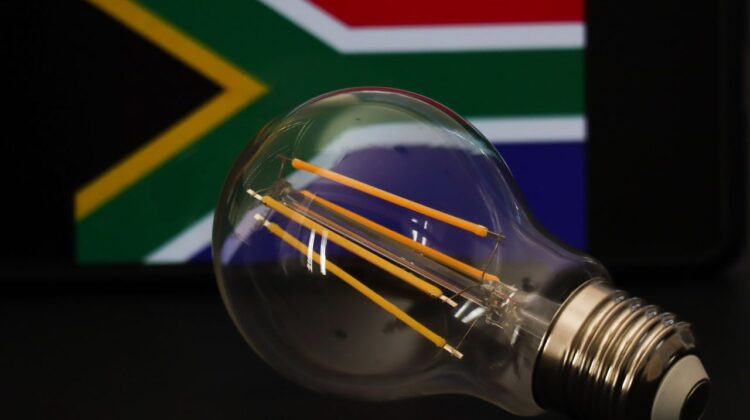
It happens to all of us. You are in the middle of cooking dinner, watching your favorite show on SABC, or typing an urgent email for work. Suddenly, click. The lights go out. The TV goes silent. The Wi-Fi disconnects.
Welcome to Load Shedding.
For South Africans, living with scheduled power cuts has become a daily reality. Eskom, our national power utility, implements these rotating outages to prevent the national grid from collapsing entirely.
But here is the problem: Knowing exactly when your power will go off is confusing. The schedules change constantly. One minute it is Stage 2, the next minute it escalates to Stage 6.
If you rely on confusing PDF spreadsheets from your municipality or radio announcements, you will inevitably end up stuck in the dark with uncharged devices.
Enter EskomSePush (ESP).
With over 7 million users, this cheeky, locally-developed app is arguably the most important app on any South African smartphone. It turns chaos into clarity. But are you using it to its full potential?
In this ultimate guide, we will show you how to set up EskomSePush correctly, how to understand the confusing “Stages,” and how to plan your life around the grid.
What is EskomSePush (ESP)?
Started as a side project by two Cape Town developers, EskomSePush (now simply called ESP) is a free mobile app that monitors the national power grid.
It sends push notifications to your phone the moment Eskom announces a change. More importantly, it customizes the schedule specifically for your suburb, so you don’t have to do the mental math yourself.
Why You Need It:
- Real-Time Alerts: Know about Stage changes before they happen.
- Area Specific: It filters out the noise and only tells you about your street.
- Community Chat: See if others in your area are offline (helpful to distinguish between load shedding and a cable theft fault).
Step 1: Downloading and Installing
The app is available on both Android and iOS.
- Open the Google Play Store or Apple App Store.
- Search for “EskomSePush”.
- Look for the icon with the chat bubble logo.
- Tap Install.
Note: The app is free, but it is supported by ads. You can pay a small subscription to remove them, but the free version works perfectly fine for most people.
Step 2: Adding Your Area (The Tricky Part)
This is where most new users get stuck. South Africa is divided into thousands of electrical “zones.” You need to find the right one.
- Open the app.
- Tap on the “Add Area” button (or the
+sign). - Search: Type in your Suburb name (e.g., “Soweto”, “Sandton”, “Sea Point”).
- Select: You will see a list of options. Be careful here!
- Sometimes a suburb is listed under the Municipality (e.g., “City of Johannesburg”).
- Sometimes it is listed under Eskom Direct.
- How to choose the right one: Look for the specific extension number or block.
- Tip: If you are unsure, ask a neighbor: “What block is our shedder?” Or, add a few options that look correct and see which one matches your actual power cuts over the next 24 hours.
Step 3: Understanding the “Stages”
Eskom uses “Stages” to determine how frequently the power goes off. The higher the stage, the worse it gets. ESP will display the current stage at the top of your screen.
Here is what they mean for your daily life:
- Stage 1:Minimal Disruption.
- You will be off for 2.5 hours, once every second day.
- Stage 2:The “New Normal”.
- You will be off for 2.5 hours, usually once per day.
- Stage 3:Frequent.
- You will be off for 2.5 hours, alternating between once and twice a day (approx. 3 times in 48 hours).
- Stage 4:Serious.
- You will be off for 2.5 hours, twice a day (total 5 hours without power).
- Impact: Traffic lights (robots) will be out frequently, causing massive jams.
- Stage 6:Critical.
- You will be off for 2.5 hours, three times a day, or sometimes 4.5 hour blocks.
- Impact: You will spend more time without electricity than with it during waking hours.
- Stage 8:Total Chaos.
- (Rare) Over 12 hours a day without power.
Using ESP to Plan: On the app’s home screen, look at the timeline.
- Red blocks: Times you will definitely have no power.
- Grey blocks: Times you represent a “possible” outage (usually only if the stage increases).
Features You Might Not Know About
ESP has evolved beyond just schedules. Here are powerful features to use in 2025:
1. The “Ask My Street” Tab
Is your power out, but the schedule says it should be on?
- Tap on the “Ask My Street” or “Community” tab.
- Look at recent reports. If 50 other people in your neighborhood are posting “Power out?”, then it is likely a Trip or Cable Theft, not load shedding.
- This saves you from waiting for the lights to come back on when you actually need to log a fault with the municipality.
2. Reminders (The Life Saver)
You can customize when the app warns you.
- Go to Settings > Notifications.
- Set a reminder for “55 minutes before”.
- Why? This gives you exactly enough time to boil the kettle, charge your phone, and save your work on your laptop before the dark hits.
3. “Load Shedding This Week” Prediction
Scroll down to see the forecast. While Eskom changes plans often, ESP provides a decent outlook on whether the weekend will be “Stage 2” or “Stage 6”, helping you plan braais or laundry days.
Survival Tips: Surviving the Dark
Now that you have the schedule, how do you survive the outage? Here are essential tips for South African households:
1. Protect Your Appliances
When the power comes back on, it often returns with a “surge” (a spike in voltage). This can fry your TV, fridge, or computer.
Solution: Unplug sensitive electronics when the power goes off. Or, buy a “Surge Protector Plug” (available at Pick n Pay or Builders Warehouse) for R200. It is cheaper than buying a new TV.
2. The “Robot” Rule
When traffic lights are out due to load shedding, the intersection becomes a Four-Way Stop.
- Do: Stop. Look. Go when it is your turn.
- Don’t: Drive straight through. This is illegal and dangerous.
3. Keep the Wi-Fi On
Fibre lines usually stay active during load shedding, but your router turns off.
Solution: Buy a “Mini UPS” (Uninterruptible Power Supply) for your router. It costs around R800 – R1,500 and keeps your Wi-Fi running for 4 hours.
4. Cash is King
During high stages (Stage 6), cell phone towers often lose battery power, meaning card machines at shops stop working. Always keep R200 cash in your wallet for essentials like bread and milk.
Conclusion
Load shedding is frustrating, but it doesn’t have to ruin your day. With the EskomSePush app properly set up on your phone, you take back control. You can plan your meals, your showers, and your travel times.
In Mzansi, we make a plan. And the first part of that plan is knowing when the lights go out.
Found this guide helpful? Check out our Tech & Data section for more tips on how to buy cheap data bundles to stay connected when the Wi-Fi dies.
(Disclaimer: The Mzansi Post is not affiliated with Eskom or the developers of EskomSePush. Load shedding schedules are subject to change by Eskom without notice.)