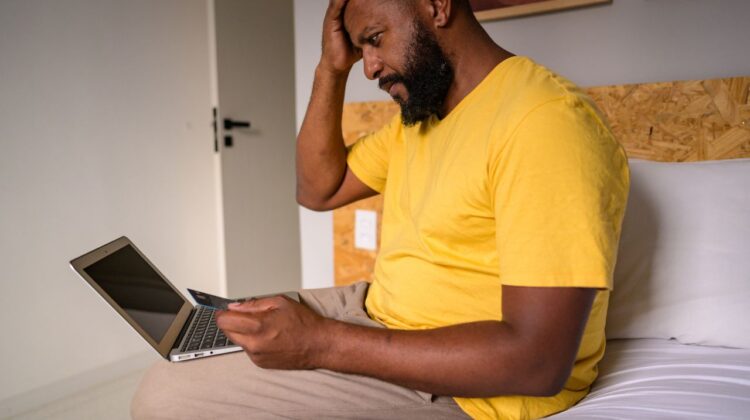
It starts with a simple SMS: “SAPO: Your package is being held at customs. Click here to pay R25.00 fee.”
Or perhaps a phone call: “Hello, this is the Fraud Division of FNB. We noticed suspicious activity on your account. Please confirm your OTP so we can block the transaction.”
Or maybe you wake up one morning to find your phone has “No Service,” and your bank account has been emptied.
Welcome to the dark side of the digital revolution.
South Africa currently has the third-highest number of cybercrime victims worldwide. As more of us move our lives online—banking apps, SASSA grants, shopping, and work—criminals have followed us there. They don’t need to break into your house to steal your money anymore; they just need you to click a link.
The scary truth is that human error causes 90% of security breaches. Hackers don’t usually “break” into systems; they trick you into opening the door for them.
But here is the good news: You don’t need to be a tech genius to be secure. You just need to change a few habits.
In this comprehensive 2026 guide, we will expose the most common scams targeting South Africans right now (like the dreaded SIM Swap) and give you practical, step-by-step strategies to bulletproof your digital life.
The “Big Five” Scams in South Africa
To defeat the enemy, you must know how they think. Here are the five most common tactics used by local fraudsters.
1. Phishing (The Bait)
This is the most common attack. You receive an email or SMS (Smishing) that looks legitimate. It might use the logo of SARS, the Post Office, or your Bank.
- The Trick: They create a sense of urgency. “Pay now or you will be arrested” or “Click here to claim your refund.”
- The Goal: To get you to click a fake link and enter your username/password.
- How to spot it: Check the URL. Is it
standardbank.co.zaorstandardbank-login-secure.xyz? If the spelling is weird, it’s a scam.
2. SIM Swap Fraud (The Nightmare)
This is unique to the mobile banking era.
- How it works: Criminals use your personal data (often leaked or stolen) to pretend to be you. They call Vodacom/MTN and claim they lost “their” phone. They ask to port “your” number to a new SIM card they control.
- The Result: Your phone loses signal. The criminal gets your OTPs (One Time Pins) on their phone. They can now change your banking passwords and empty your account.
- The Sign: If your phone suddenly loses signal for no reason in the middle of the city, be suspicious immediately.
3. Vishing (Voice Phishing)
The criminal calls you. They sound professional. They might even have background noise that sounds like a call center.
- The Trick: “We are trying to stop a fraud transaction. Read me the OTP sent to your phone to stop it.”
- The Rule: NEVER share an OTP. Banks will never ask for an OTP over the phone. An OTP is for authorizing money to leave, not for stopping it.
4. WhatsApp Hacking
- How it works: You get a message from a friend: “Hey, I sent you a 6-digit SMS code by mistake. Can you send it back to me?”
- The Trap: That code is actually the WhatsApp verification code for your account. If you give it to them, they hijack your WhatsApp.
- The Goal: They then message all your family members asking for “emergency money” (eWallet/CashSend) pretending to be you.
5. The “419” / Deposit Scam
“Congratulations! You have won R500,000 from the Coca-Cola Lottery!”
- The Catch: You just need to pay a “processing fee” or “lawyer fee” of R2,000 to release the money.
- The Reality: There is no prize. Once you pay the fee, they vanish.
Mobile Security (Your Phone is Your Life)
In South Africa, your smartphone is your bank branch. Securing it is non-negotiable.
1. Lock Your Screen
It sounds basic, but many people don’t use a PIN. Use a strong PIN (not 1234) or Biometrics (Fingerprint/Face ID). If your phone is stolen unlocked, thieves have access to your email, which lets them reset every other password.
2. Enable “Find My Device”
- Android: Google Find My Device.
- iPhone: Find My iPhone. This allows you to remotely erase your phone if it gets stolen. This is better than losing the phone and the data.
3. Be Careful with Public Wi-Fi
Free Wi-Fi at the mall or coffee shop is great for saving data (as we discussed in our Cheap Data Bundles guide), but it is not secure.
- The Risk: Hackers can sit on the same network and intercept data.
- The Rule: Never do banking or enter credit card details on public Wi-Fi. Use your mobile data (4G/LTE) for banking—it is much more encrypted and secure.
4. App Permissions
Does a “Flashlight” app really need access to your Contacts and Location? No. Check what permissions you are giving to apps.
Banking Safety (Protecting the Rand)
Banks spend billions on security, but they can’t stop you from opening the door.
1. Use the App, Not the Browser
Always use the official Banking App (FNB, Capitec, Standard Bank, etc.) rather than logging in via a web browser on your phone. Apps are harder to spoof (fake) than websites.
2. Daily Limits
Login to your banking profile and lower your “Daily Transfer Limit”.
- Set it to R1000 or R2000 for daily use.
- If a hacker gets in, they can only steal that amount, not your life savings. You can always raise it temporarily if you need to make a big payment.
3. Payment Notifications (In-Contact)
Ensure you get an SMS or App notification for every transaction, no matter how small (even R10.00). Hackers often do a small “test” transaction first to see if you notice.
Password Management 101
“Password123” is not a password; it is a welcome mat.
1. Length > Complexity
A password like Tr0ub4dor&3 is actually harder for humans to remember but easy for computers to crack. A passphrase like Horse-Staple-Battery-Correct (4 random words) is much harder for computers but easier for you to remember.
2. Stop Reusing Passwords
If you use the same password for Facebook and your Bank, and Facebook gets hacked, your bank is vulnerable.
Solution: Use a Password Manager (like Google Password Manager, Bitwarden, or LastPass). You only remember one Master Password, and the app generates complex, unique passwords for everything else.
3. Two-Factor Authentication (2FA) – The Holy Grail
This is the single most effective security measure. 2FA means you need two things to login:
- Something you know (Password).
- Something you have (Your phone/OTP/Fingerprint).
Enable 2FA on:
- Email (Gmail/Outlook).
- WhatsApp.
- Facebook/Instagram.
- Banking.
- iCloud/Google Account.
Even if a hacker steals your password, they cannot login without your phone.
What to Do If You Get Scammed?
Panic is your enemy. Speed is your friend. If you suspect you have been compromised:
Step 1: Contact Your Bank Immediately
Don’t wait. Call the fraud hotline (save these numbers on your phone now). Ask them to “Freeze the account”.
- FNB: 087 575 9444
- Capitec: 0860 10 20 43
- Standard Bank: 0800 020 600
- Absa: 0860 557 557
- Nedbank: 0800 110 929
Step 2: Contact Your Mobile Operator
If your signal died (SIM Swap), call Vodacom/MTN/Telkom from a different phone immediately to suspend the SIM.
Step 3: Change Your Passwords
Start with your Email Password. If they control your email, they can reset everything else.
Step 4: Report It
- SAFPS: Contact the Southern African Fraud Prevention Service (safps.org.za) to list yourself as a victim of identity theft. This stops criminals from opening new credit accounts in your name.
- SAPS: Go to the police station and open a case. You will need a case number for insurance or banking refunds.
Conclusion: Eternal Vigilance
Cybersecurity is not a “set it and forget it” task. It is a mindset.
In South Africa, where economic times are tough, scammers are becoming more desperate and more sophisticated. But they are also lazy. They look for easy targets.
By turning on 2FA, using unique passwords, and pausing for 5 seconds before clicking any link, you make yourself a “hard target.” The scammers will move on to someone else.
Stay safe, stay alert, and protect your digital identity.
Interested in fighting cybercrime as a career? It is one of the highest-paying jobs in the world right now. Read our guide on How to Start a Career in IT to see how you can become a Cybersecurity Analyst.
(Disclaimer: The Mzansi Post provides this information for educational purposes. We are not security consultants. If you have been a victim of fraud, contact your bank and the South African Police Service immediately.)